
We Compared 4 Power Stations for WiFi Router Backup

Off-grid power editor
Published
Updated
Last fact-checked
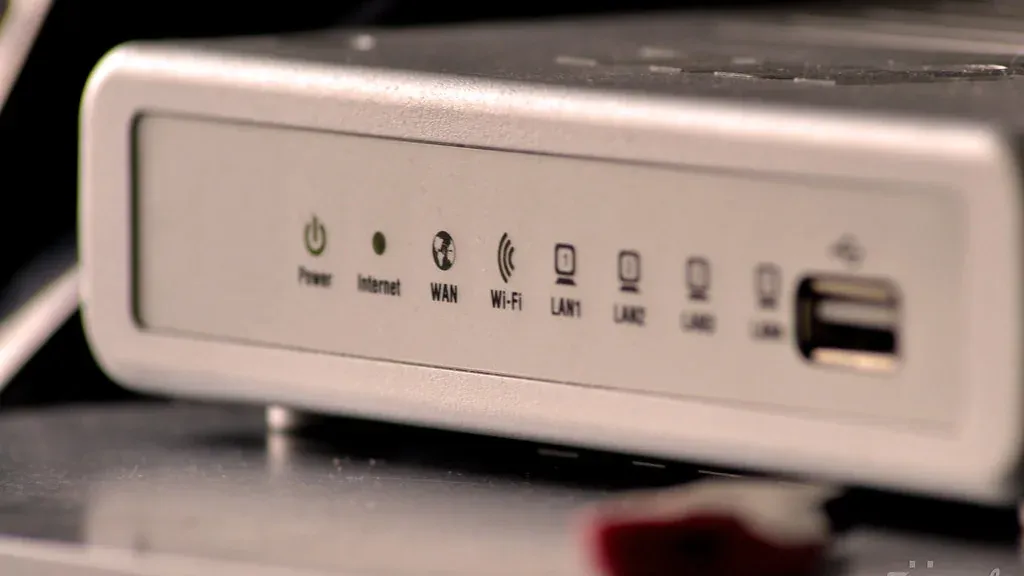
This guide is for people who want the internet to survive a power cut: remote workers on a call, anyone running a home lab, and households on a grid that blinks. Networking gear is the easiest load in this whole category to size for, because a router draws the same few watts continuously instead of cycling like a fridge, so watt-hours divided by watts gives an answer you can actually plan around. We compared four units on capacity, switchover speed, recharge rate, cycle life where the maker publishes one, and physical size. We did not test any of them, and every review says exactly what its recommendation rests on. What you get here is the arithmetic retailers skip: rated capacity converted into delivered hours of uptime, the daily energy budget your network creates, and why a big inverter is the wrong tool for a 15W load.
What is the best portable power station for a WiFi router?
The Jackery Explorer 500 v2 suits most people. Its 512Wh pack holds a router and modem online for roughly 27 hours, it switches over in 10ms so the connection does not drop, and its 6,000-cycle rating survives being left permanently in circuit. If your outages run into days, the Pecron F1000LFP and its 600W solar input is the better tool.
Key takeaways
- A router is a constant load with no duty cycle, so capacity arithmetic is unusually reliable here
- A router and modem together draw roughly 15W, and a three-node mesh set with an ONT roughly 30W
- Switchover time decides whether the connection drops at all; capacity only decides how long it lasts afterwards
- Assume around 80% of rated watt-hours reaches the socket, because inverter overhead takes a larger share on tiny loads
- Cycle life matters more than usual, because a unit left in circuit is cycled every time the grid blinks
Our picks at a glance
Every unit below wins a specific situation rather than a place in a ranking. Pick the row that matches how you will actually use it.
-
Best for an always-on router closet

Jackery Explorer 500 v2
Homes where the grid blinks often and the router, modem and mesh base have to stay up for a full working day without anyone touching the unit.
-
Best for keeping the whole desk online

BLUETTI Elite 30 V2
A home office where the whole desk, not only the router, should ride through a short outage without dropping the call or losing unsaved work.
-
Best for the smallest shelf setup

EcoFlow RIVER 3
A small apartment or a rented flat where the unit has to live on the same shelf as the router and never be in the way.
-
Best for multi-day cuts with solar top-up
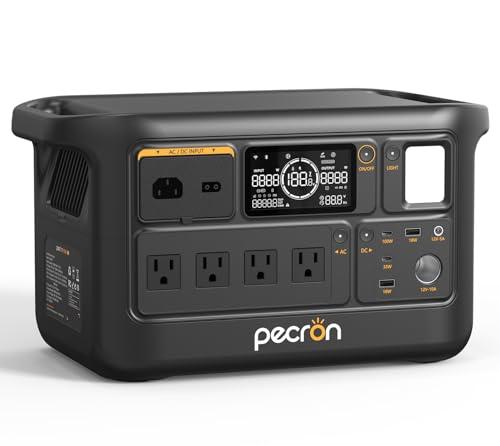
Pecron F1000LFP
Rural or storm-prone homes where cuts run into days and a panel can be put outside to keep the connection alive for as long as the outage lasts.
How they compare
Scroll the table sideways to see every column.
| Product | Where to buy | Award | Capacity | AC output | UPS switchover | AC recharge time | Weight | Dimensions | Best for |
|---|---|---|---|---|---|---|---|---|---|
| Jackery Explorer 500 v2 | Best for an always-on router closet | 512Wh | 500W (1000W surge) | 10ms | 52 minutes to 80% | 12.6 lb (5.7 kg) | 12.2 x 6.2 x 8.1 in | Homes where the grid blinks often and the router, modem and mesh base have to stay up for a full working day without anyone touching the unit. | |
| BLUETTI Elite 30 V2 | Best for keeping the whole desk online | 288Wh | 600W continuous (1500W Power Lifting) | 10ms | 0-80% in 45 minutes, 0-100% in 70 minutes (380W AC) | 9.4 lb (4.3 kg) | 12.5 x 13.4 x 9.7 in | A home office where the whole desk, not only the router, should ride through a short outage without dropping the call or losing unsaved work. | |
| EcoFlow RIVER 3 | Best for the smallest shelf setup | 245Wh | 300W (600W X-Boost) | -- | 1 hour to full | 7.8 lb (3.5 kg) | -- | A small apartment or a rented flat where the unit has to live on the same shelf as the router and never be in the way. | |
| Pecron F1000LFP | Best for multi-day cuts with solar top-up | 960Wh | 1500W pure sine wave | Within 20ms | 50 minutes to 80%, 70 minutes to full at 1000W AC | 23.9 lb (10.8 kg) | 15.0 x 8.5 x 8.4 in | Rural or storm-prone homes where cuts run into days and a panel can be put outside to keep the connection alive for as long as the outage lasts. |
The full reviews
Best for an always-on router closet
Jackery Explorer 500 v2
Jackery
The Explorer 500 v2 is the unit we would leave permanently plugged in behind a router and forget about. A 512Wh pack, a 10ms switchover and a 6,000-cycle rating cover the three things an internet backup actually has to do. The trade-off is two mains outlets, which fills up faster than you expect.
What we like about the Jackery Explorer 500 v2
- 512Wh delivers roughly 27 hours to a 15W router and modem pair on our 80% conversion assumption
- 10ms switchover is short enough that a router power supply rides through the changeover without rebooting
- The 6,000-cycle rating works out at about 16 years even on a grid that drains it once a day
- 40.6Wh per pound is the best capacity-to-weight figure on this shortlist
Where it falls short for the Jackery Explorer 500 v2
- Only two AC outlets, so a router, an ONT and a small network switch already force you onto a power strip
- 500W continuous leaves no room for a desktop with a discrete GPU or anything with a motor, though a laptop and monitor fit easily
- Jackery publishes no maximum solar input for the Explorer 500 v2, so if a cut outlasts the pack there is no documented way to refill it while the grid is still down
- The 52-minute figure is to 80%, not to full, so a short grid window leaves the last fifth of the pack empty
Key specifications
- Capacity
- 512Wh
- AC output
- 500W (1000W surge)
- UPS switchover
- 10ms
- AC recharge time
- 52 minutes to 80%
- Rated cycle life
- 6,000 charge cycles
- Weight
- 12.6 lb (5.7 kg)
A WiFi router is the easiest load in this entire category to size for, and the Explorer 500 v2 is the unit that best matches the shape of the job.
Why capacity maths is trustworthy here
A fridge cycles, so its runtime charts are guesswork. A router does not. It draws the same handful of watts at three in the morning as it does during a video call, which means watt-hours divided by watts gives you a number you can plan around.
Take a common pairing: a consumer router at about 10W and a cable modem or fiber ONT at about 5W. Call it 15W. Assume 80% of the rated pack actually reaches the socket, because an inverter loses some of it as heat and some to its own overhead. That is 512 × 0.8 = 409.6Wh delivered, or about 27 hours at 15W.
Swap in a three-node mesh set and an ONT, closer to 30W, and the same arithmetic gives about 13.7 hours. Either way you are covering a full working day, which is the threshold most people are actually buying.
The switchover number is the one that earns it
Capacity decides how long the internet stays up. Switchover decides whether it goes down at all.
Jackery specifies 10ms. Most router power supplies hold their output through a gap that short, so the session survives, the DHCP leases survive, and a call in progress does not notice. This is the difference between a backup you use and one you discover failed three outages ago.
Cycle life is the specification nobody checks
If you leave a power station wired between the grid and your router, every blink of the mains is a partial cycle. Over years that adds up in a way it never does for a unit that lives in a garage waiting for a hurricane.
The 6,000-cycle rating is the higher of the only two published in this guide, by a wide margin. Even on an absurdly harsh assumption, one full discharge every single day, that is over 16 years. The RIVER 3’s 3,000 cycles to 80% works out at about eight years on the same assumption. BLUETTI and Pecron publish no figure at all, so they cannot be placed on this scale. Neither published rating will be the reason you replace the unit, but the Jackery gives you the larger margin for the least thought.
Where it runs out
Two AC outlets. That is the honest limit. A router and a modem take both, and anything else, a switch, a mesh node’s own brick, a PoE injector, needs a strip plugged into one of them. It works, but it is not tidy, and a strip is one more thing to trip over in a cabinet.
The 500W ceiling is the other line, and it is a softer one than it sounds. A full home network at 30W uses about six per cent of it, so the network will never come close, and a laptop charger and a monitor on top still leave most of it spare. It only bites if you expect the unit to carry a desktop with a discrete GPU, a laser printer or anything with a motor.
The gap that is harder to work around is solar. Jackery publishes no maximum solar input for this unit, so every runtime figure above is what you get from one charge and nothing more. If your outages run past a day, read the Pecron entry instead.
- Best for
- Homes where the grid blinks often and the router, modem and mesh base have to stay up for a full working day without anyone touching the unit.
- Choose something else if
- Your outages can outlast the pack and you were counting on topping it up from a panel, or you need more than two mains outlets without adding a power strip.
Best for keeping the whole desk online
BLUETTI Elite 30 V2
BLUETTI
The Elite 30 V2 carries a 600W inverter behind a 288Wh pack, which is an unusual ratio and exactly the right one if you want the laptop and monitor to survive the cut alongside the router. It also quotes the shortest recharge to 80% of any unit here that publishes one. What it gives away is shelf space, and it gives away a lot of it.
What we like about the BLUETTI Elite 30 V2
- 600W continuous carries a router, a modem, a laptop charger and a monitor together rather than the network alone
- 10ms switchover keeps a live video call and the router up through a grid cut
- 45 minutes on mains refills the pack to 80%, roughly 12 hours of router uptime returned, so brief grid windows are enough to reset the buffer
- A 60-month warranty on a unit that will sit powered on permanently
Where it falls short for the BLUETTI Elite 30 V2
- At 12.5 x 13.4 x 9.7 in it occupies more shelf volume than the 960Wh Pecron while holding under a third the energy
- 288Wh covers a 15W router and modem for about 15 hours, so an overnight cut is fine and a full day is not
- Power Lifting reaches 1500W by lowering output voltage and only applies to resistive loads, so it is irrelevant to anything with a motor
- BLUETTI publishes no cycle-life rating for the Elite 30 V2, so on a unit meant to live in circuit and take a partial cycle every time the grid blinks, the specification that decides its service life cannot be checked before you buy
Key specifications
- Capacity
- 288Wh
- AC output
- 600W continuous (1500W Power Lifting)
- UPS switchover
- 10ms
- AC recharge time
- 0-80% in 45 minutes, 0-100% in 70 minutes (380W AC)
- Weight
- 9.4 lb (4.3 kg)
- Dimensions
- 12.5 x 13.4 x 9.7 in
Most small power stations pair a small battery with a small inverter. The Elite 30 V2 does not, and that mismatch is the whole reason it is here.
A 600W inverter on a 288Wh pack
288Wh is modest. 600W continuous is not, for a unit this size. The result is a device that can serve loads far above what a network needs, for a shorter time than a bigger battery would.
For a router-only job that ratio is wasted. For a desk it is exactly right. A router and ONT at 15W, a laptop charger pulling about 60W and a 25W monitor is roughly 100W together. On our 80% delivered assumption the pack gives 288 × 0.8 = 230.4Wh, so about 2.3 hours with the whole desk running. That is long enough to finish the call, save the work and shut down deliberately rather than abruptly.
Drop back to the router and modem alone and the same 230.4Wh stretches to about 15 hours.
The recharge figure is better than it looks
BLUETTI quotes 0 to 80% in 45 minutes at 380W AC input, and 70 minutes to full. Check that against the pack: 80% of 288Wh is 230Wh, delivered in three quarters of an hour, which needs roughly 307W of average input. The 380W figure leaves enough headroom for that to be credible rather than marketing.
The practical consequence is the useful part, but it needs the conversion loss applied twice over rather than once. Forty-five minutes of mains puts 230Wh back into the pack, not into the router. Run that through the same 80% assumption used everywhere in this guide and about 184Wh reaches the socket, which is roughly 12 hours of router uptime, not the 15 the full pack gives. On a grid that fails in bursts with short windows between them, that still turns a small battery into a much larger effective one.
The footprint problem
This is the drawback that should decide it for some readers. The Elite 30 V2 measures 12.5 x 13.4 x 9.7 inches. That is roughly 1,625 cubic inches of shelf for 288Wh, or about 5.6 cubic inches per watt-hour.
The Pecron in this guide is 15.0 x 8.5 x 8.4 inches, about 1,071 cubic inches, and holds 960Wh. That is 1.1 cubic inches per watt-hour, five times tighter. The Jackery is similar. If the unit has to hide inside a media cabinet or on a shelf beside the router, measure before you commit.
Who should choose something else
Anyone who only wants the network up. The extra inverter capability costs you energy density and volume, and a router does not care. Buy this because the desk matters, not because the router does.
- Best for
- A home office where the whole desk, not only the router, should ride through a short outage without dropping the call or losing unsaved work.
- Choose something else if
- Shelf or cabinet space is tight, or you need more than about fifteen hours of connectivity from one charge with no chance to recharge in between.
Best for the smallest shelf setup
EcoFlow RIVER 3
EcoFlow
At 7.8 lb the RIVER 3 is the only unit here that genuinely disappears next to a router, and it still puts three AC outlets on the front. It buys about half a day of connectivity. The gap in its spec sheet is the one that matters most for this job: EcoFlow publishes no switchover time.
What we like about the EcoFlow RIVER 3
- 7.8 lb and 245Wh is the lightest way here to hold a router and modem online for roughly 13 hours
- Three AC outlets in the lightest body on this list, so router, modem and a mesh node all plug in directly
- One hour to full rather than to 80%, so a single grid window refills the whole pack
- 3,000 cycles to 80% works out at about eight years even if the grid drains it every day
Where it falls short for the EcoFlow RIVER 3
- EcoFlow publishes no UPS switchover figure for the RIVER 3, so you cannot assume the router survives the changeover without rebooting
- 245Wh covers a three-node mesh set and an ONT for roughly six and a half hours, which is an evening rather than a day
- The spec sheet lists the unit as not expandable, so the only route to more runtime later is a second unit
- 110W maximum solar input is barely enough to cover a router's daily energy budget under ideal sun and leaves no margin on a cloudy day
Key specifications
- Capacity
- 245Wh
- AC output
- 300W (600W X-Boost)
- Weight
- 7.8 lb (3.5 kg)
- AC recharge time
- 1 hour to full
- Max solar input
- 110W
- Rated cycle life
- 3,000 cycles to 80%
The RIVER 3 wins on the one criterion that never appears in a runtime chart: whether the thing is small enough that you actually leave it where it needs to be.
Small enough to stay put
7.8 lb, and 245Wh inside it. That is 31.4Wh per pound, third of the four here and well behind the Jackery’s 40.6, but the absolute weight is what decides whether the unit lives beside the router or in a cupboard where it does nothing.
Three AC outlets on a body this light is the other quiet advantage. The Jackery in this guide holds twice the energy and gives you two. Here a router, a modem and a mesh node’s brick all land directly on the unit with nothing extra plugged in.
What 245Wh actually buys
Apply the same arithmetic used throughout this guide: assume 80% of the rated pack reaches the socket after inverter losses, so 245 × 0.8 = 196Wh delivered.
- A router and modem at about 15W: roughly 13 hours
- A three-node mesh set plus an ONT at about 30W: roughly 6.5 hours
Thirteen hours covers a night. Six and a half covers an evening. Neither covers a working day plus the night after it, and this is the smallest pack in the guide, so no assumption you make later will change that.
The one-hour full charge partly offsets it. Most units in this category quote a time to 80%, which sounds faster and leaves the last fifth of the battery empty when you unplug. A full hour to genuinely full means an intermittent grid tops this unit up completely between cuts.
The missing number
For this specific use case, the RIVER 3’s spec sheet has a hole in it. There is no published UPS switchover time.
That does not mean the unit fails to hand over. It means we cannot tell you it will, and the three other units here can be judged on a stated figure while this one cannot. If your reason for buying is that a router reboot in the middle of a call is unacceptable, choose a unit whose maker commits to a number.
If your reason for buying is that the internet should come back within a few seconds and stay up for the rest of the outage, that gap matters much less, and you get the lightest unit on the list.
The solar footnote
110W maximum input is the smaller of the only two solar figures published in this guide, against 600W on the Pecron. Jackery and BLUETTI publish none at all, so this is a two-way comparison rather than a four-way one. A 15W router pair burns about 360Wh a day. Even at the full 110W rating you need well over three hours of usable sun to break even, and rated input is not what a panel delivers in practice. Treat solar on this unit as a slow trickle, not a supply.
- Best for
- A small apartment or a rented flat where the unit has to live on the same shelf as the router and never be in the way.
- Choose something else if
- You need a documented switchover time because a dropped connection during the changeover would cost you a call, a session or a remote login.
Best for multi-day cuts with solar top-up
Pecron F1000LFP
Pecron
The F1000LFP is the only pick here that turns a multi-day outage into a non-event, holding 960Wh and accepting 600W of solar to refill it. For a load as small as a router that combination is close to indefinite uptime. It is also the heaviest unit here and the least efficient match to a 15W load.
What we like about the Pecron F1000LFP
- 960Wh delivers roughly 51 hours to a 15W router and modem pair, more than two full days on one charge
- 600W solar input clears a router's 360Wh daily budget in under two hours of usable sun
- Switchover specified within 20ms, inside the ride-through window of most router power supplies
- 10 ports including a 100W USB-C, so phones and a laptop share the unit with the network during a long cut
Where it falls short for the Pecron F1000LFP
- The 1500W inverter is around 100 times a router's draw, and a large inverter serving a tiny load is where conversion loss is worst, so our 80% delivered assumption is optimistic on this unit specifically
- At 23.9 lb it goes where you put it and stays there, which rules it out as something you move between a desk and a router cabinet
- Pecron publishes no cycle-life rating for the F1000LFP, so on the heaviest unit here, the one you will least want to replace, there is no figure for how many years of daily grid blinks it is built to take
- The 50-minute charge figure is to 80% at a 1000W input rate, which is a heavy draw to place on a circuit that has just come back after an outage
Key specifications
- Capacity
- 960Wh
- AC output
- 1500W pure sine wave
- UPS switchover
- Within 20ms
- Max solar input
- 600W
- AC recharge time
- 50 minutes to 80%, 70 minutes to full at 1000W AC
- Weight
- 23.9 lb (10.8 kg)
Every other unit in this guide answers the question “how do I get through tonight”. The F1000LFP answers a different one: how do I stay online for as long as the outage lasts, however long that is.
Two days on the battery alone
960Wh, and the same 80% delivered assumption used throughout this guide, gives 768Wh at the socket. Against a router and modem drawing about 15W that is roughly 51 hours. Against a three-node mesh set and an ONT at about 30W it is about 25.5 hours.
For comparison, the largest of the other three picks holds 512Wh and manages about 27 hours on the same load. This is the point of the unit.
Where the solar input changes the answer
A 15W router pair burns 15 × 24 = 360Wh a day. The F1000LFP accepts up to 600W of solar.
Even derating that hard, say to a real-world 200W from a panel that is not perfectly angled and not in perfect sun, you replace a full day of router draw in under two hours. At that point the battery stops being a countdown and becomes a buffer, and the outage can last a week without the internet going down.
None of the other units here can make that claim. The RIVER 3 tops out at 110W input, which barely breaks even on a good day.
The efficiency argument against it
We would rather say this plainly than bury it. A 1500W pure sine wave inverter running a 15W router is a poor match. Inverters carry a broadly fixed overhead whether they are serving 15W or 1500W, and the bigger the inverter, the more of your pack that overhead consumes on a tiny load.
So the 80% figure we apply to every unit in this guide is the most generous here. The real delivered hours on a router-only load are likely to be somewhat lower than the 51 calculated above, and we have not measured how much lower.
The way around it, if you want the capacity without the penalty, is to run the router from a DC output or a USB-C trigger cable rather than through the inverter where the hardware supports it. That skips the conversion entirely.
The weight is the honest limit
23.9 lb. This is not a unit you tuck behind a modem or carry to a desk. It is installed. Decide where it goes before you buy it, and if the answer is “wherever there is room this week”, buy something lighter.
- Best for
- Rural or storm-prone homes where cuts run into days and a panel can be put outside to keep the connection alive for as long as the outage lasts.
- Choose something else if
- Your outages last hours rather than days, in which case you are carrying weight and inverter overhead that the load will never make use of.
How we researched this guide
Four units were compared using published manufacturer specifications and electrical documentation. Runtime figures were calculated from rated watt-hours against stated router draws, using a single stated conversion assumption applied to every unit. None of these units were tested by us, and each review states which sources it relies on.
The full process is on our how we test portable power stations page, including what counts as hands-on use.
- Units evaluated
- 4
- Used hands-on
- 0
- Assessed from documentation and owner reports
- 4
Evaluation methods used: specification comparison
Which one should you buy?
Match your situation on the left to the recommendation on the right.
-
You want the router and modem up for a full working day and never think about it
Recommendation: Buy the Jackery Explorer 500 v2 for its 512Wh pack and 6,000-cycle rating
-
Your laptop and monitor also need to survive the cut, not just the network
Recommendation: Buy the BLUETTI Elite 30 V2 for its 600W continuous inverter and its 45-minute recharge to 80%, the shortest published here
-
The unit has to sit on the same shelf as the router without dominating it
Recommendation: Buy the EcoFlow RIVER 3 at 7.8 lb, but accept that no switchover time is published
-
Your outages last days and you can put a solar panel outside
Recommendation: Buy the Pecron F1000LFP for its 960Wh pack and 600W solar input
-
You only need the router to survive a two-minute flicker while a generator starts
Recommendation: Buy a conventional desktop UPS instead, because none of the extra capacity here would ever be used
Mistakes buyers make
- Sizing from the router's power brick rating instead of its actual draw, which overstates the load by three or four times
- Buying capacity but ignoring switchover time, then discovering the router reboots on every cut anyway
- Forgetting the modem, ONT or mesh nodes, which can double the load the router alone suggested
- Treating manufacturer runtime charts as planning figures, when they assume a load and an efficiency they do not state
- Choosing a large inverter for a tiny load, where fixed conversion overhead eats a meaningful share of the pack
- Putting the unit in a cupboard because it did not fit the shelf, which means it is unplugged when the cut comes
Our final recommendation
If you want one answer rather than a shortlist, this is the unit that suits the widest range of readers in this category.
Best for an always-on router closet
Homes where the grid blinks often and the router, modem and mesh base have to stay up for a full working day without anyone touching the unit.
Questions buyers ask
How many watts does a WiFi router actually use?
Most consumer routers sit between 6W and 12W in normal use. Add a cable modem or fiber ONT at roughly 5W. The number printed on the power adapter is its maximum output, not the draw, and is usually three or four times higher than what the router really pulls.
Is a portable power station better than a normal UPS for a router?
For runtime, yes, by an enormous margin. A typical desktop UPS holds enough for a few minutes so you can shut a computer down safely. The smallest unit here holds enough for about 13 hours. For pure switchover speed a good double-conversion UPS is still ahead, but for a router that difference rarely matters.
Will my internet drop when the power station takes over?
It depends on the switchover figure. The Jackery Explorer 500 v2 and BLUETTI Elite 30 V2 both specify 10ms and the Pecron F1000LFP within 20ms, which most router power supplies ride through without rebooting. EcoFlow publishes no figure for the RIVER 3, so we cannot tell you either way.
Can I leave one plugged in permanently as a UPS?
That is the intended use for the units here with a UPS mode, and it is why we weighted cycle life so heavily. Every grid blink becomes a partial cycle, so a 6,000-cycle rating is worth far more in this job than in a unit that sits in a garage waiting for a storm.
Should I run the router from the AC outlet or a DC port?
DC or USB-C is more efficient where your hardware supports it, because it skips the inverter and the conversion loss that comes with it. Many routers accept 12V through a barrel jack. Check the voltage and polarity carefully before trying it, because getting either wrong will destroy the router.
About the author